Halloween Stickers 2026: 50 Original Pumpkins, Ghosts & Witches
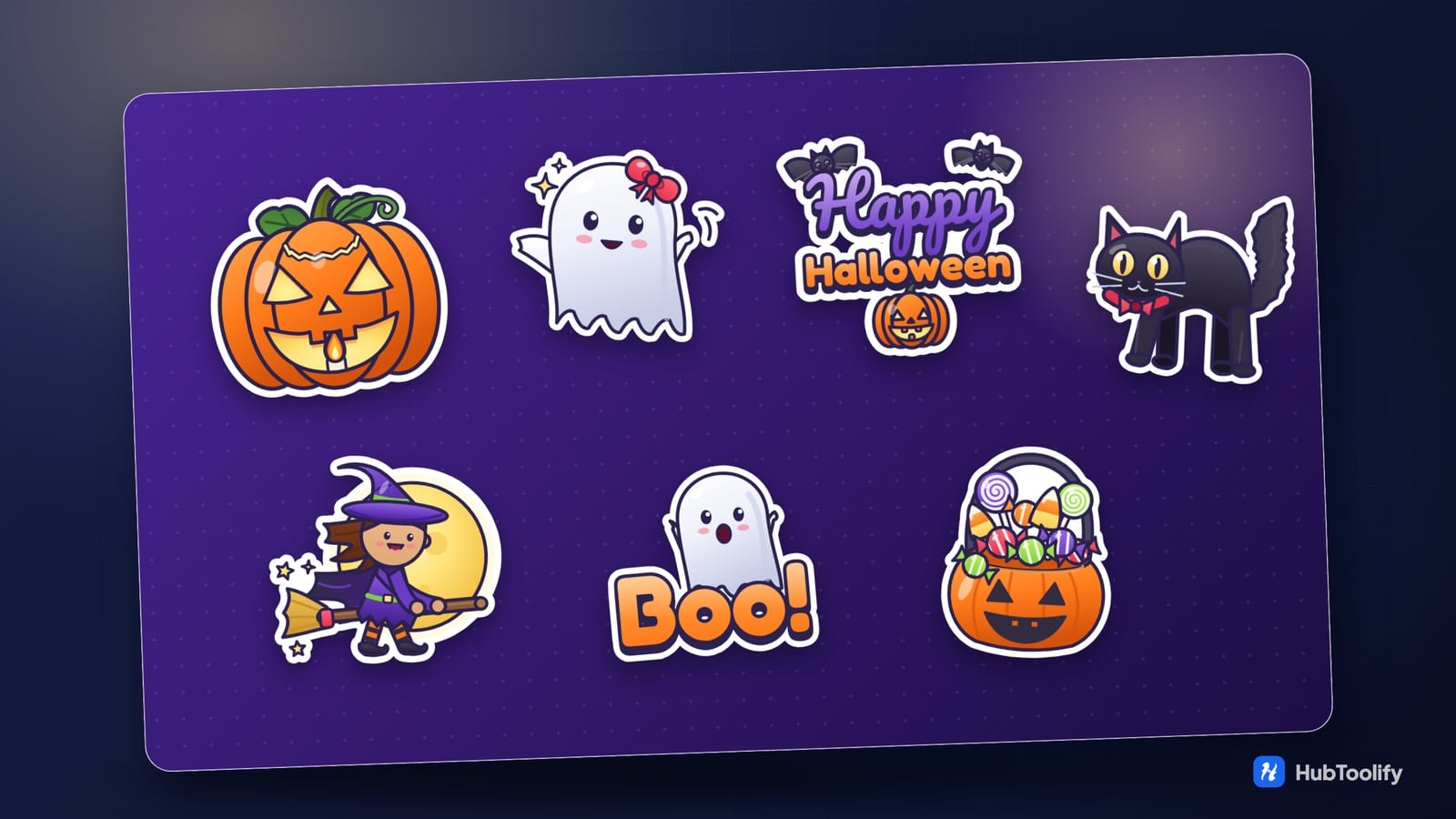
Halloween falls on Saturday 31 October 2026, which means a weekend of parties, costume photos and group chats asking who is bringing the candy. The HubToolify sticker library has a Halloween pack of 50 original stickers for all of it: jack-o'-lanterns, friendly ghosts, witches, black cats, skeletons, candy, and lettering from a plain "Boo!" to "No Tricks, Just Treats".
Every sticker is drawn for HubToolify, not collected from clip-art sites, and every one has the same white die-cut border, so it sits cleanly on a dark chat wallpaper, a party photo or a printed invitation. The style is cute rather than gory, so the pack works for a children's party and an office group alike.
50 Halloween stickers in seven groups

Greetings: 11 stickers
The lettering is what most people send, so it is the biggest group: Happy Halloween, Spooky Halloween, Trick or Treat and a Trick or Treat badge, Boo!, Stay Spooky, Spooky Season, Hello Pumpkin, No Tricks, Just Treats, a Halloween Night badge and an October 31 badge.
Pumpkins: 5 stickers
A carved jack-o'-lantern with a candle inside, a cute pumpkin, a creepy glowing pumpkin, a pumpkin in a witch hat and a pumpkin monster.
Ghosts & Monsters: 9 stickers
A friendly ghost with a bow, a floating ghost, a ghost with a candy bucket, a vampire, a cute mummy, a funny zombie, a cute bat, a green monster and a werewolf under the full moon.
Witches & Magic: 7 stickers
A witch flying on a broomstick, a witch hat with stars, a bubbling cauldron, a magic potion, an eyeball potion, a spell book and a crystal ball.
Skeletons & Cemetery: 6 stickers
A dancing skeleton in a party hat, a decorative skull, the grim reaper, a gravestone, a creepy cemetery and a coffin with bats.
Candy & Treats: 3 stickers
A candy bucket overflowing with lollipops, a candy collection and a candy corn character.
Decorations: 9 stickers
A haunted house, a black cat, a swarm of bats, a spider web, a full moon with bats, a spooky owl, a scarecrow, a dripping candle and a creepy tree.
A Halloween post, ready to share

Six stickers on one square post is about the right number for a story or a group greeting: enough to read as Halloween at a glance, few enough that each one is still recognisable on a phone. To be clear about what you are seeing above: the Halloween stickers themselves are still images, and the gentle bobbing comes from the post, not from the stickers. Unlike the Navratri and Diwali packs, the Halloween pack has no animated stickers yet.
To make a post like this with your own greeting, name and logo, open the Festival Post Maker, pick the Halloween pack, and choose up to 12 stickers. It exports a square post, a story, a WhatsApp Status and banner sizes. The Festival Reel Maker turns the same stickers into a 20-second MP4 reel with music. Both are free to design in, and exporting is part of Pro.
Five colour themes

The pack is drawn in four Halloween colours: pumpkin orange, witch purple, slime green and candy red. A colour theme swaps them tone for tone, so the highlights and shadows stay where they were drawn:
- Classic: the orange pumpkins and purple lettering they were drawn with.
- Midnight: orange and purple trade places, so you get purple pumpkins and orange lettering.
- Slime: orange and green trade places, for a green pumpkin and orange slime in the cauldron.
- Candy: orange and red trade places, and so do purple and green.
- Poison: the pumpkin stays orange, while purple turns slime green, green turns red and red turns purple.
Every sticker in the pack can be switched, which is handy for matching a party invitation, a costume or a shop's own colours. Colour themes are part of the Pro sticker editor.
Change the words
Most of the greeting stickers have editable words. With Pro, open Happy Halloween or Boo!, type into the Words field, and the lettering is redrawn in the same style. "Trick or Treat" can become "Trick or Treat at No. 12", and "Spooky Season" can carry your party's date.
For more than a line, the Sticker Creator puts any sticker on a canvas with your own text in the font, colour and outline you choose, and exports a transparent PNG with Pro. It runs in your browser, so nothing you type is uploaded.
Ideas for using Halloween stickers
- Party invitations: a haunted house or a flying witch at the top, the date on an editable greeting, sent as an image to the group.
- Treat bags and labels: print the SVG or a 1024 px PNG of the candy bucket or jack-o'-lantern onto sticker paper. The files are artwork, not print-ready sheets, so add bleed and cut lines in your print software.
- Costume photos: add a ghost or a bat swarm to an Instagram story as a photo sticker. The background is transparent, so only the sticker shows.
- Shops and cafés: a Halloween offer post from the Festival Post Maker, with your logo and a No Tricks, Just Treats sticker.
- Chats: a 512 × 512 PNG or WebP in a WhatsApp sticker maker app, or the PNG sent straight to Telegram, Discord or Slack.
What is free and what is Pro
Browsing the pack and opening every sticker are free. Downloading, copying, colour themes, your own words and exporting are part of HubToolify Pro. One plan covers every sticker in the library, including the Navratri, Diwali and Dussehra packs for the rest of the festival season. Still stickers download as a transparent PNG, WebP or SVG at 128, 256, 512 or 1024 px.
With Pro you can use the stickers in personal and commercial work: chats, posts, invitations, party favours and shop banners. What the licence does not allow is reselling them as a sticker pack or uploading them to another sticker or stock marketplace.
Start here
- The pack: Halloween stickers
- Make your own: the Sticker Creator, the Festival Post Maker and the Festival Reel Maker
- Next festivals: Navratri, Dussehra and Diwali
Or search the sticker library for "boo", "pumpkin" or "witch".


0 comments
No comments yet. Be the first to say something.