6 social media tools for captions, hashtags and titles
Adam Mosseri, who runs Instagram, has put it about as plainly as a platform boss ever does: hashtags are "no longer a primary way to increase your reach". Not a policy change, not an algorithm tweak — they never did much, and the belief simply outlived the reality by several years.
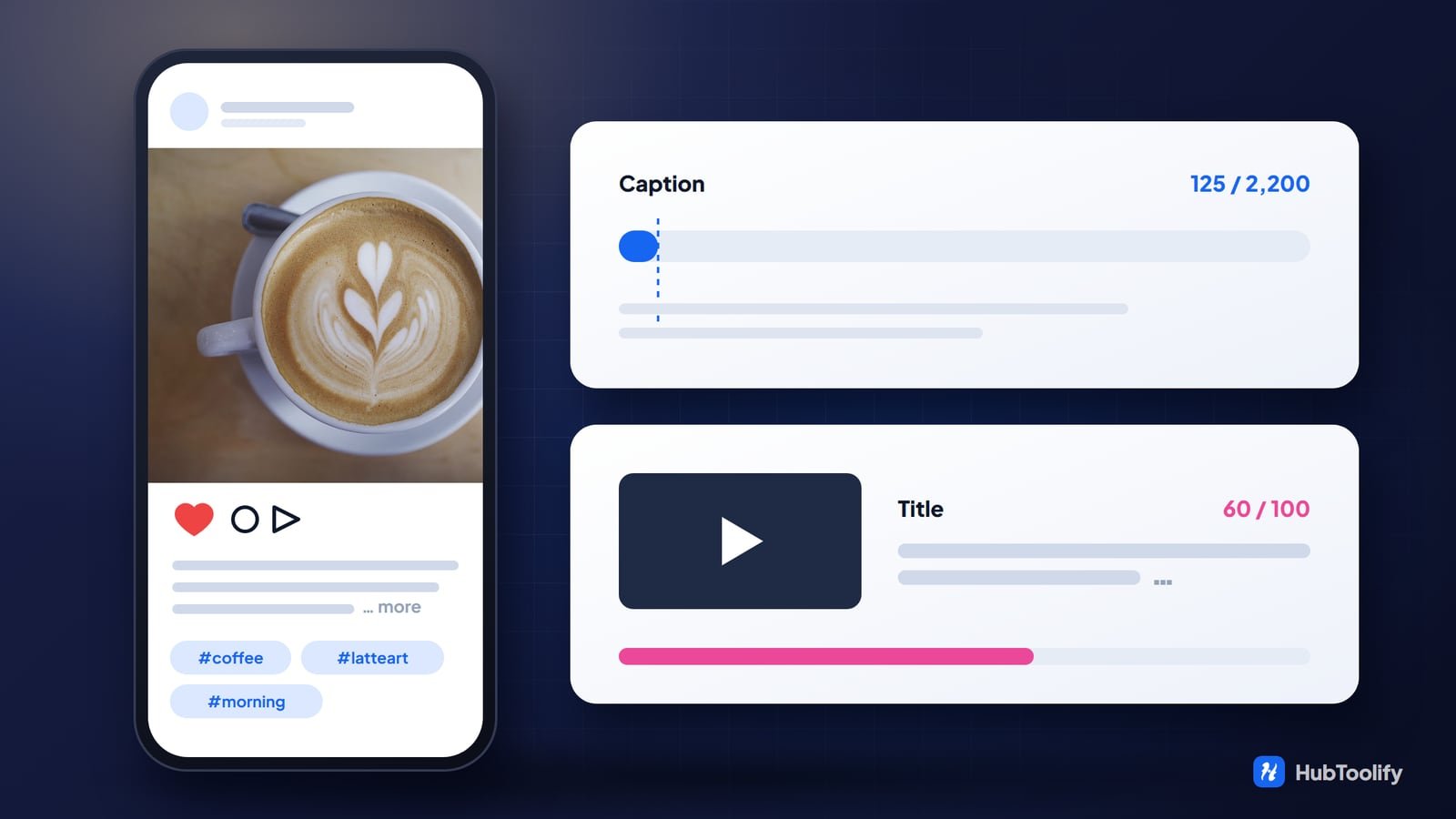
What has not changed is the arithmetic. Instagram will accept a 2,200-character caption and show 125 of it. YouTube will accept a 100-character title and display roughly 60. Those limits are enforced, invisible while you are typing, and completely unforgiving — and they are where far more posts are lost than to any hashtag strategy.
Six of the tools here are built around them.

The limits that actually bite
Your Instagram caption is really 125 characters
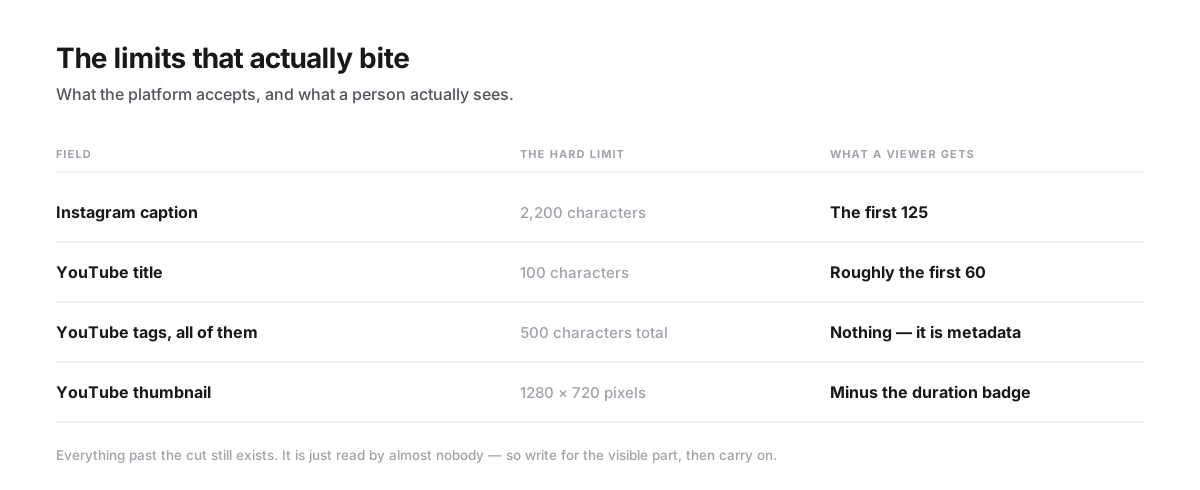
You get 2,200. A viewer sees the first 125 before the caption collapses behind … more. Everything past that point is opt-in, and most people never opt in.
So the first sentence is not an introduction. It is the whole post, and the remaining 2,075 characters are a footnote for the people you already convinced. Put the hook, the promise or the number in front; put the context behind the cut.
Instagram Caption Generator writes to that shape deliberately — a hook that survives the 125-character cut, a call to action, and a hashtag block kept inside the limit.
Your YouTube title is really about 60
You get 100 characters. Desktop shows roughly the first 60, mobile a little less, and the mobile home feed can cut as early as 40. A keyword sitting at character 80 is, for most viewers, not in the title at all.
YouTube Title Generator scores each title on length, keyword position and how much it over-promises. That last score earns its place: a title that oversells buys the click and then loses the watch time — and watch time is one of the three things that genuinely moves reach.
Hashtags: demoted, not dead
The reach claim is gone. Mosseri's phrasing was that, contrary to public belief, hashtags are "just not an important thing for reach". An analysis of more than 75 million posts landed in the same place: three to four tags produced the best engagement rate by impressions, and piling on more did nothing useful.
Instagram will still let you post up to 30. Going far past a handful mostly signals that you are guessing.
What hashtags are still genuinely good for is labelling: grouping a campaign, marking a series, giving a post a topic that a human browsing a tag can follow. That is a real job, just a smaller one than the folklore promised.
The other reason to be careful is banned and restricted tags. One of them in an otherwise ordinary post can quietly suppress the whole thing, and nothing in the interface tells you. Hashtag Generator builds balanced broad, mid and niche sets and warns you when a tag is one of those.
YouTube tags: a real budget, worth less than it used to be
All your tags share a 500-character budget, each tag can run to 30 characters, and ten to twenty tags is a normal set. Those numbers are firm.
What has softened is their weight. YouTube now leans far more on the title, the description and the actual spoken and captioned content of the video than on the tag field. Tags are worth filling in properly and not worth agonising over.
YouTube Tag Generator expands a topic into a set that fits the real 500-character budget, ordered by how much each tag earns its place — which is the right amount of effort for something with this much influence.
Thumbnails: the corner you cannot use

Upload at 1280 × 720, 16:9, at least 640 pixels wide. Then design as though the frame were smaller than it is, because it is: the duration badge sits permanently over the bottom-right corner at roughly 120 × 60, and the feed crops in further on small screens. Put the face, the text and anything that has to be read inside the mobile safe area and leave that corner empty.
Thumbnail Downloader grabs any YouTube thumbnail in every resolution it exists in, plus the embed code. Its most useful application is not downloading your own — it is pulling the thumbnails of the videos currently beating you and looking at what they do at 210 pixels wide, which is the size that actually decides the click.
One picture, every crop
Every platform wants a different shape, and the crop is not kind. A 16:9 hero squeezed into a 1:1 slot loses a third of itself; pushed into a 9:16 story it loses most, and whatever was near the edges goes first.
Social Media Image Resizer takes one picture into every size a platform asks for, cropped around the part that matters rather than the geometric centre, and hands the whole set back as a zip.
What to aim at instead
Mosseri named the three signals that do move reach: watch time, likes per reach, and sends — how long people stay, how many of the people who saw it liked it, and how many passed it to someone in a DM. All three measure whether the post was worth finishing and worth sharing.
No amount of metadata manufactures any of that. But bad metadata will stop a good post from being opened in the first place — a hook that fell past the 125-character cut, a keyword that fell past character 60, a face hidden under the duration badge. That is the whole job of these six: not to win the post, just to stop losing it on the mechanics.



0 comments
No comments yet. Be the first to say something.