Free vs Pro Icons: Which HubToolify Icon Style Is Right for Your Project?

Pick the wrong style and every icon on the page looks like it came from three different kits, even when every one of them is technically "correct." Pick the right one and a dashboard, a landing page and a pricing card all feel like the same product. The choice that actually matters is not which icon to use — it's which style to use, and that is the free icons vs Pro icons question this post answers.
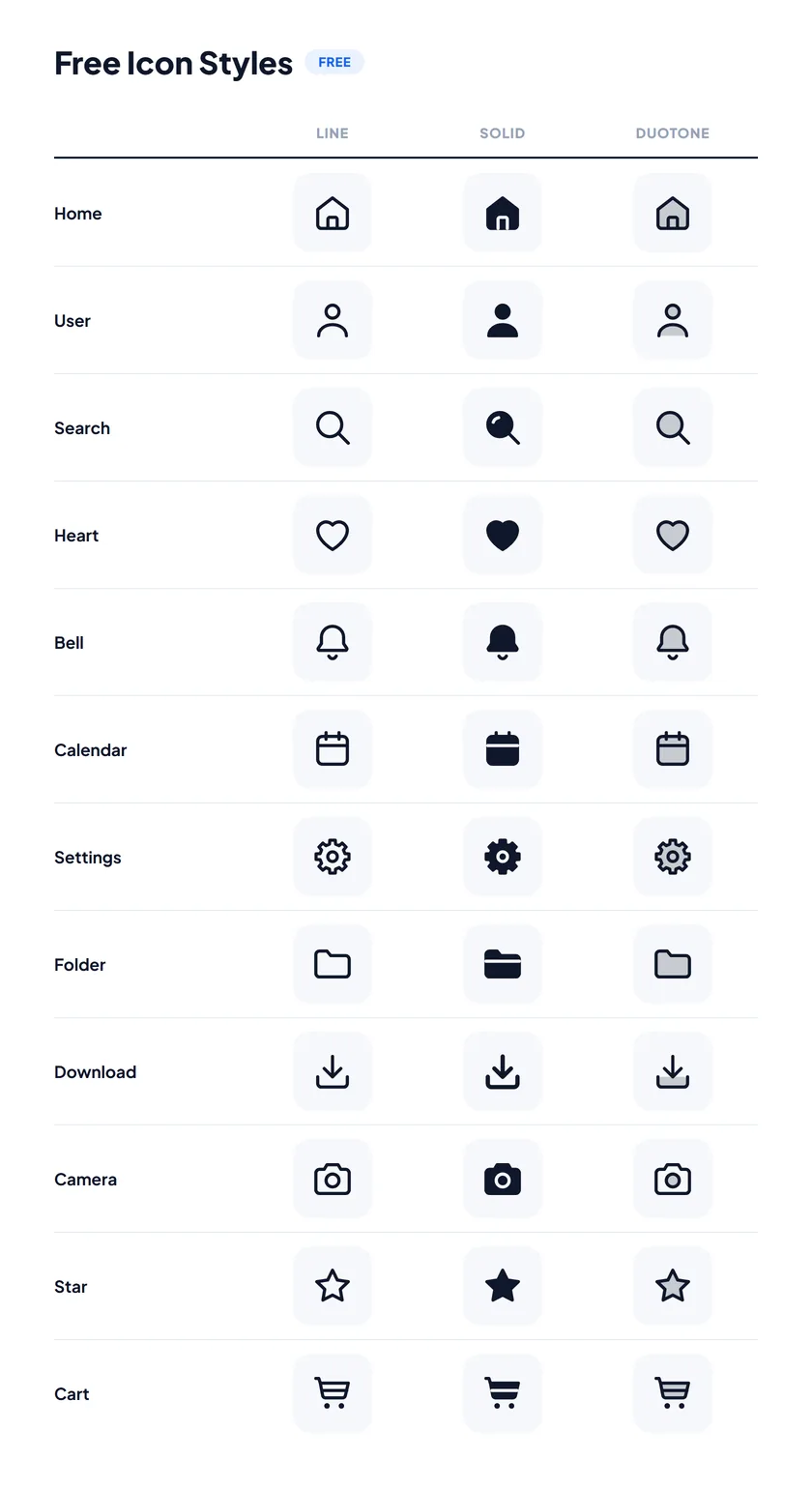
The HubToolify icon library gives you 2,908 original icons in eleven distinct styles, so you can carry one familiar icon across very different visual directions without rebuilding your interface. Three styles are free — Line, Solid and Duotone. Eight more come with HubToolify Pro — Imprint, Pixel, Slab, Mellow, Jass, 3D, Draw and Lineal. What actually changes between them, and which one belongs in your project?
One icon library, eleven distinct personalities
Every style starts from the same underlying icon idea. Search once for the icon you need, then switch its style — you never have to hunt through unrelated icon packs just because a project needs a different visual direction.
A plain Home icon can feel minimal in Line, carry more weight in Solid, gain depth in Duotone, read as crafted in Imprint, go retro in Pixel, turn bold in Slab, soften into Mellow, become a small hand-illustrated drawing in Jass, turn into a glossy little object in 3D, look sketched with a pencil in Draw, or pick up soft colour fills under a dark outline in Lineal. The function stays exactly the same. Only the personality changes.
The free styles: Line, Solid and Duotone
These three core styles cover most websites, dashboards, mobile apps and everyday design work, and every icon in the library ships in all three at no cost.
Line
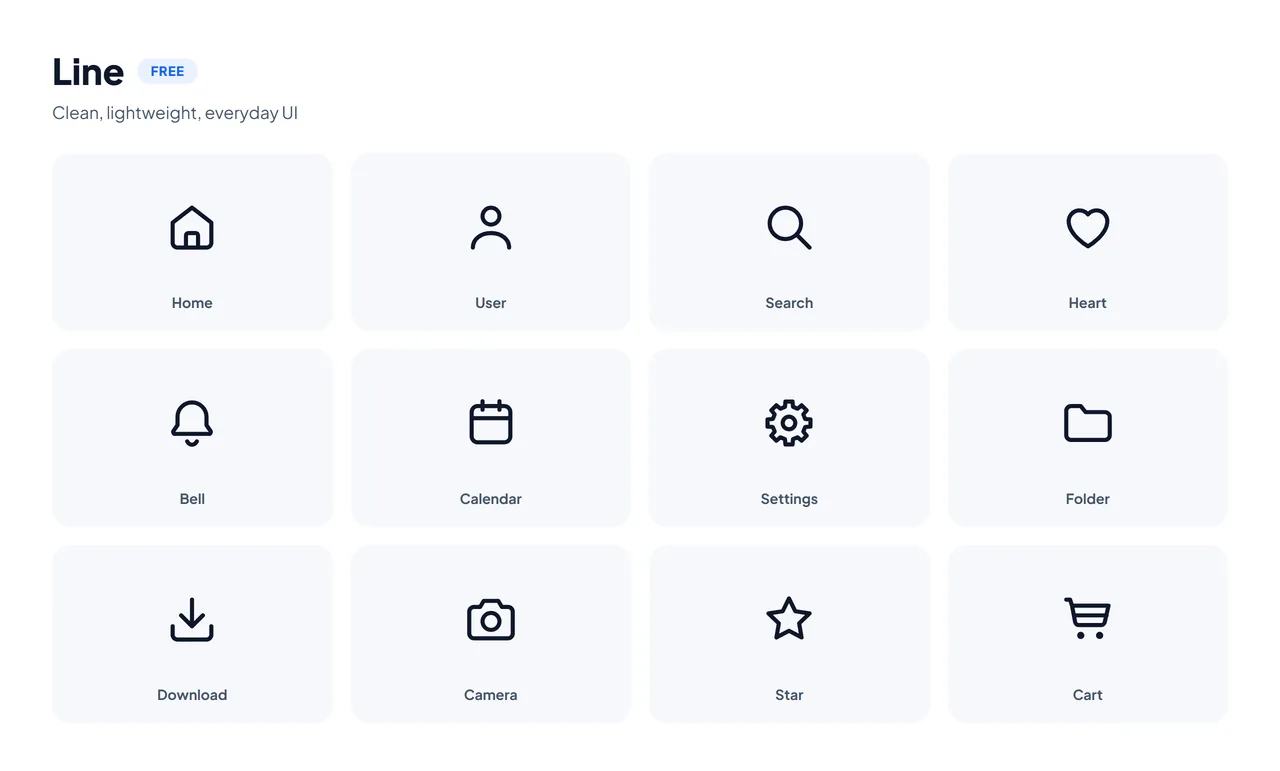
Line icons are clean, lightweight and intentionally simple. They work especially well in navigation menus, SaaS dashboards, mobile interfaces, toolbars, settings screens, forms and minimal websites — because Line carries so little visual weight, you can place a dozen of them together without crowding the interface.
Best for: clean UI and everyday interface design.
Solid
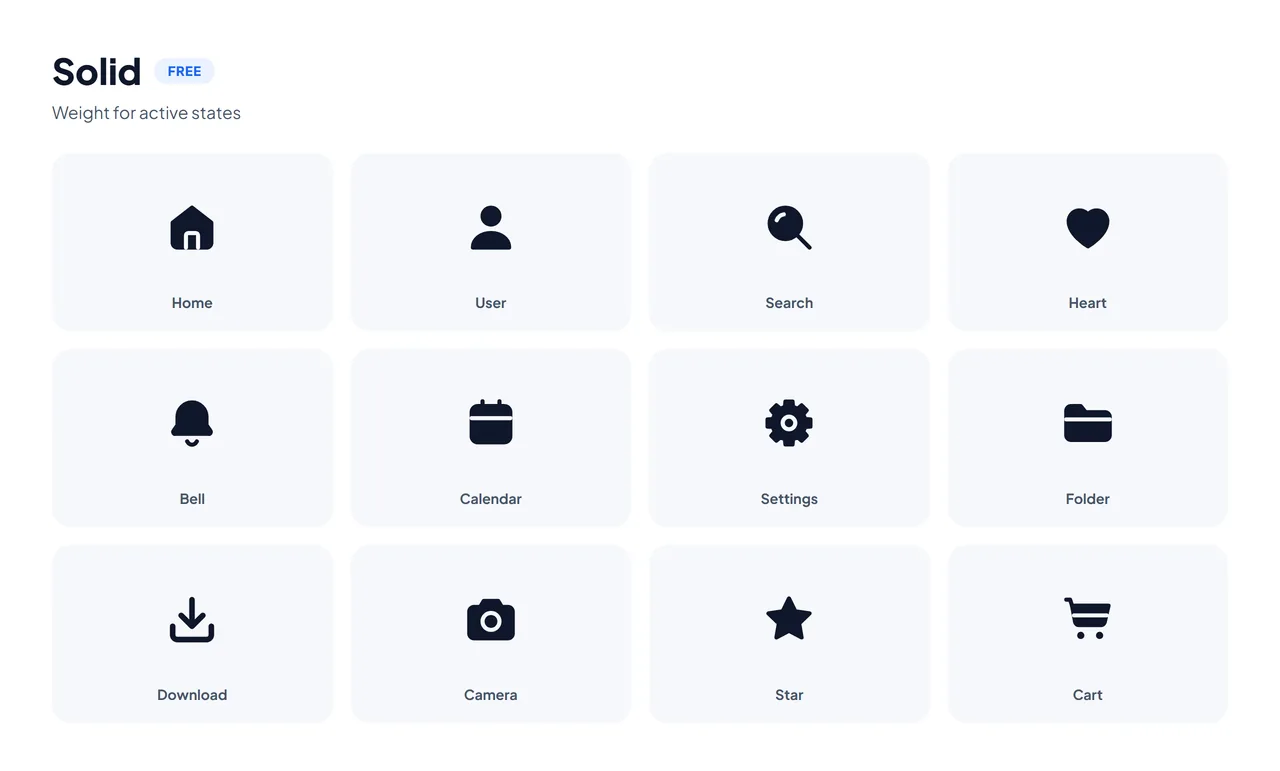
Solid takes the same shapes and gives them considerably more visual weight. It's the style for a selected or active state — an outline heart that fills in once something is liked, or a tab icon that turns solid the moment it's active. Because Line and Solid share the same outline, that swap never makes the icon jump.
Solid also earns its place in small buttons, status indicators, mobile tab bars and anywhere an interface needs a stronger hierarchy.
Best for: active states and compact interfaces.
Duotone
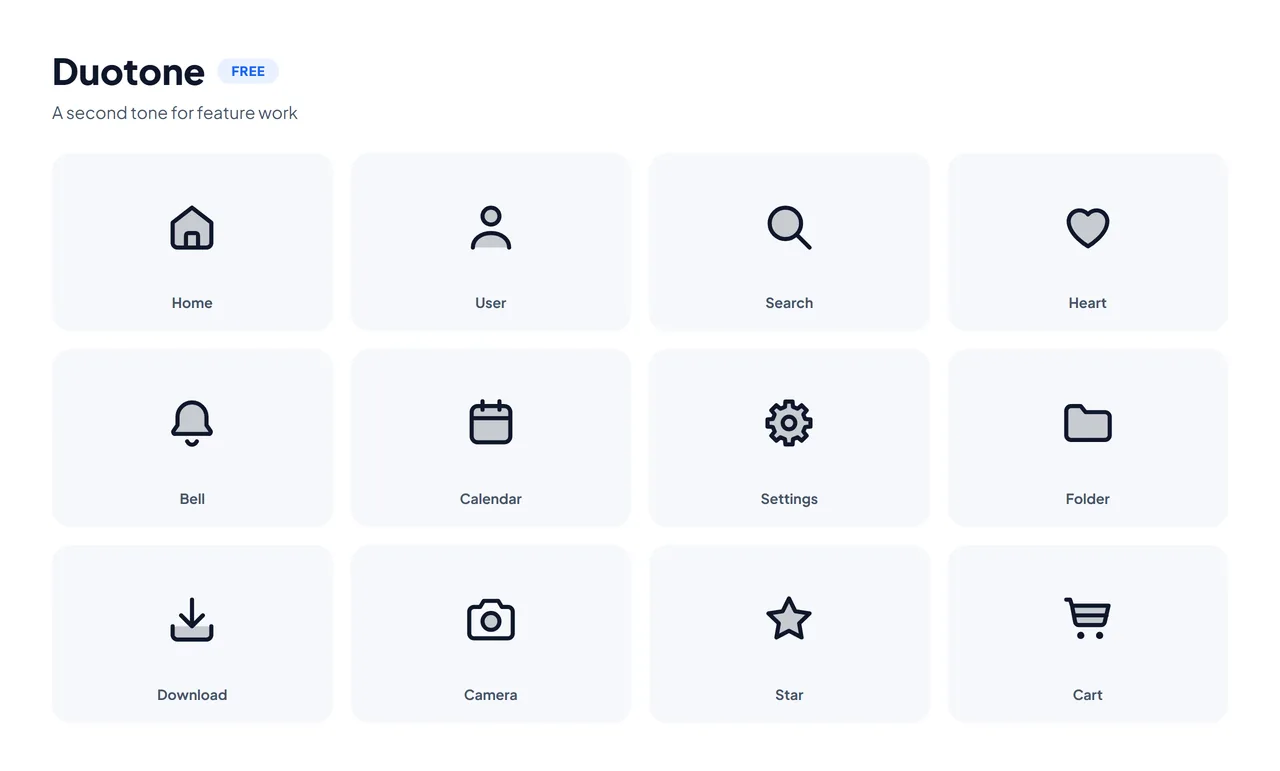
Duotone adds a second, lighter tone behind the lines while keeping the icon fully recognisable. That extra depth is useful the moment an icon is more than a tiny interface control — in feature sections, landing pages, onboarding flows, empty states, pricing pages and product highlights.
Best for: interfaces that need a little more personality without turning purely decorative.
Now meet the Pro icon styles
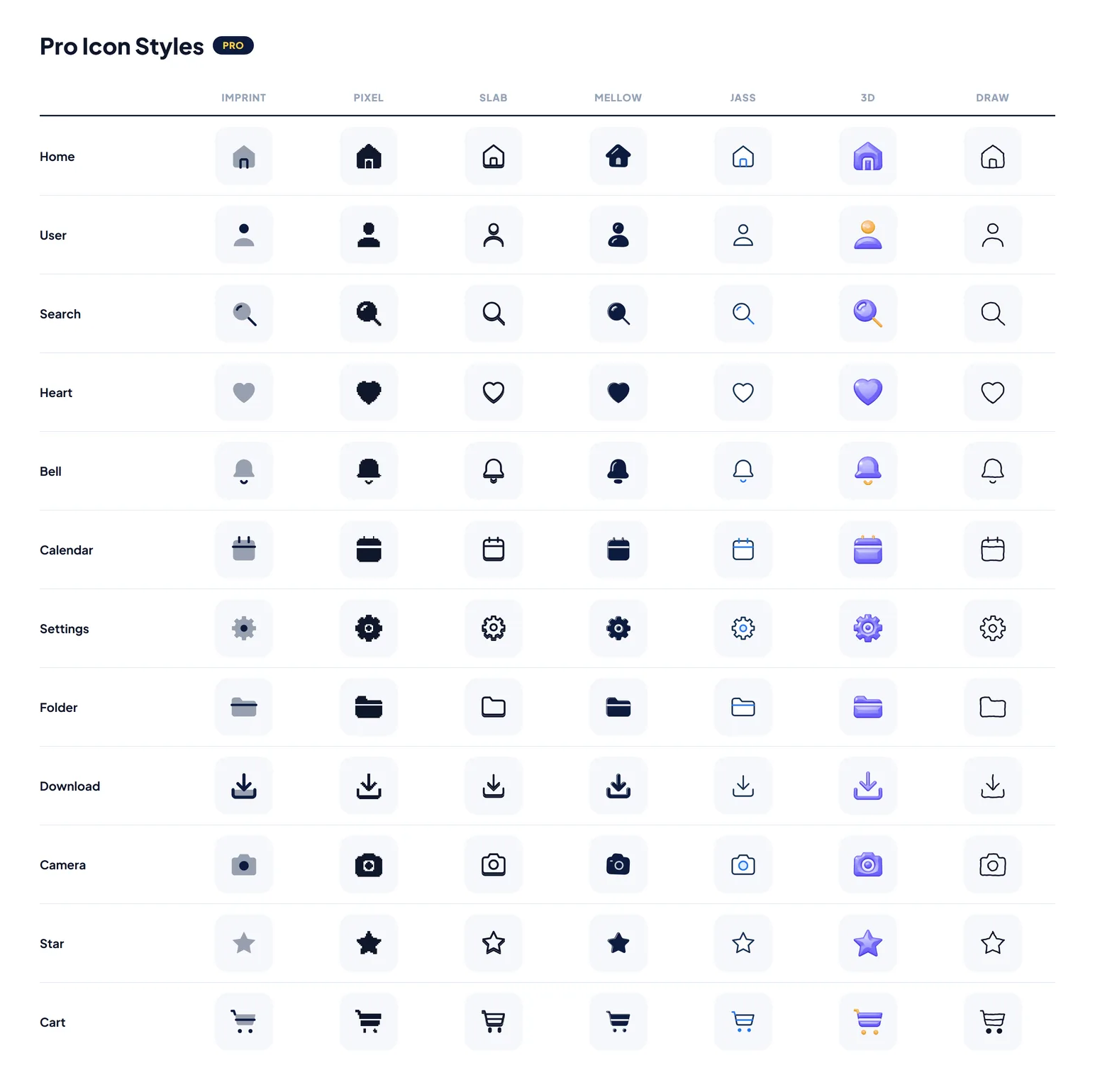
The Pro collection takes the same 2,908-icon library into more distinctive visual territory. Instead of only changing stroke weight or fill, these eight styles can set the personality of an entire product.
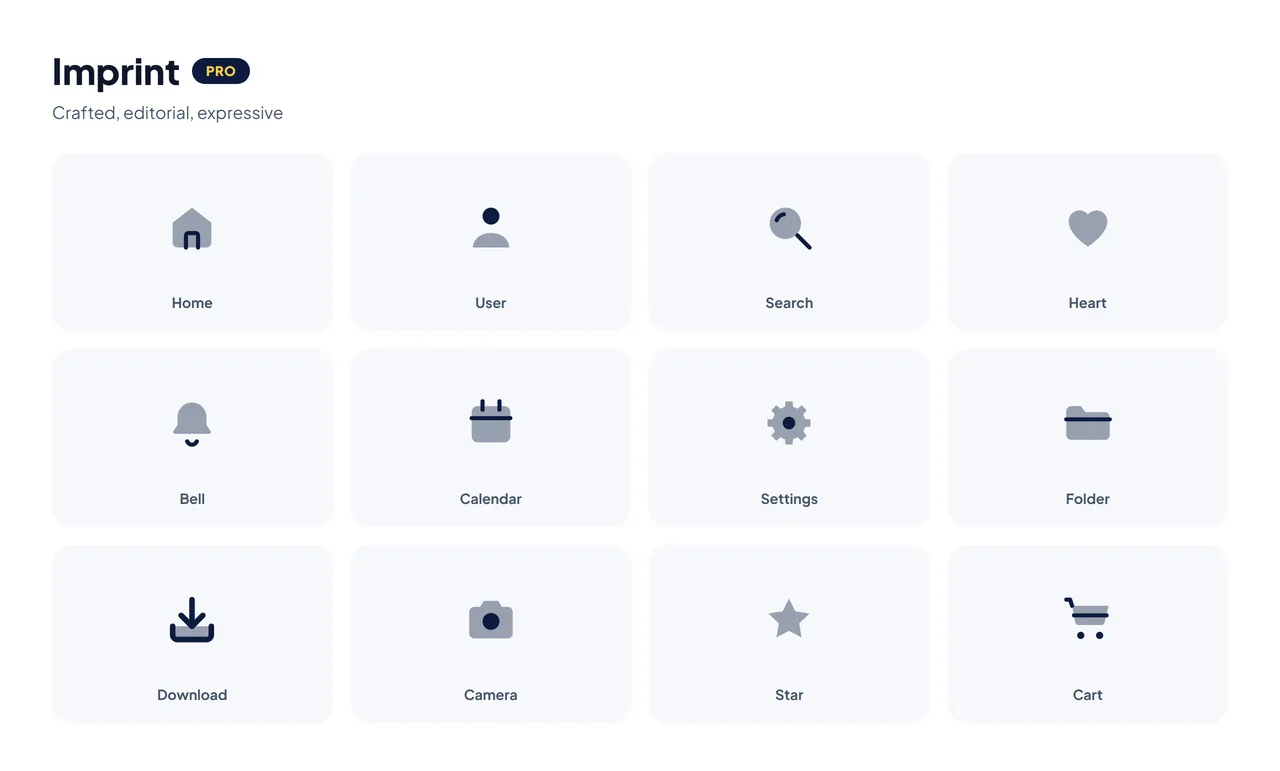
Imprint — Pro
Imprint gives icons a more crafted, expressive appearance. Instead of reading as generic UI symbols, they become part of a landing page's or product's visual identity — useful for creative websites, portfolio projects, feature cards, marketing sections, editorial layouts and branded SaaS interfaces.
Best for: projects where icons should feel designed rather than purely functional.
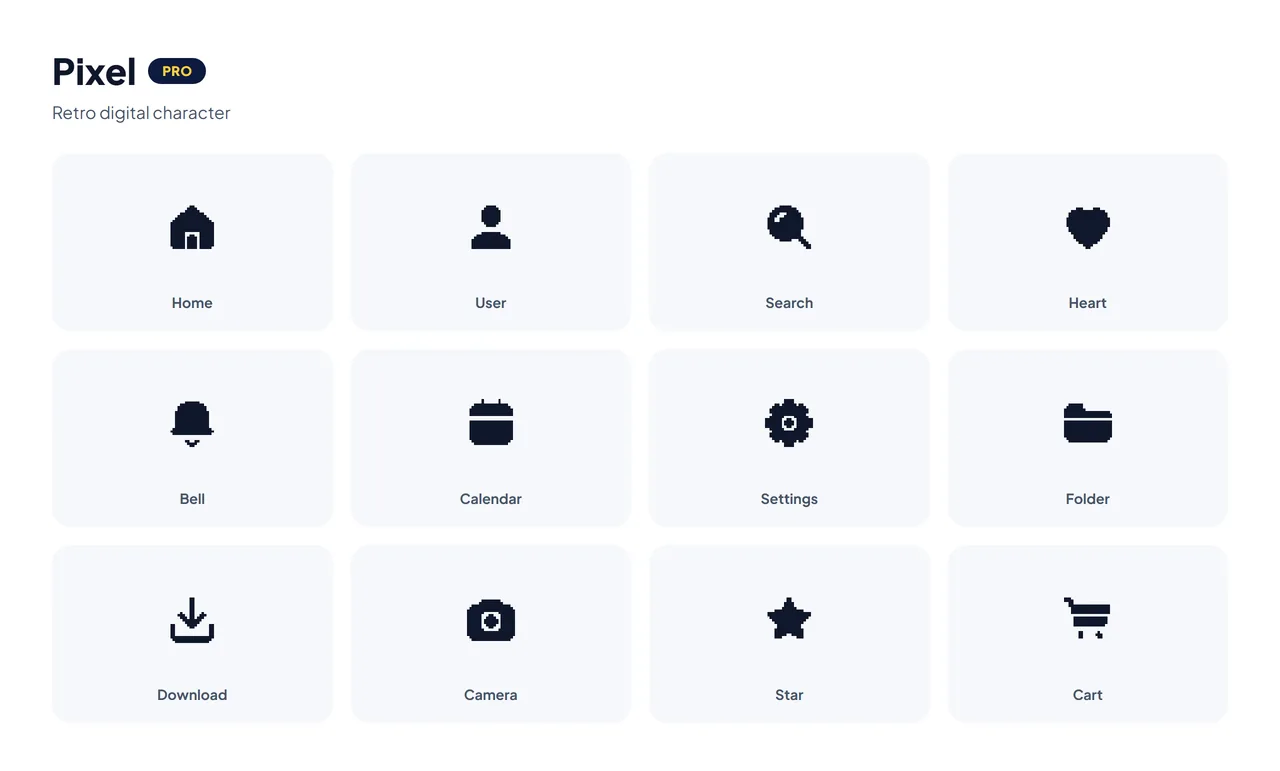
Pixel — Pro
Pixel brings a retro digital character to the library — a natural fit for gaming projects, developer products, retro interfaces, creative portfolios, tech communities and experimental landing pages. You can build a fully modern interface and still use Pixel as a deliberate accent.
Best for: retro, gaming and developer-focused products.
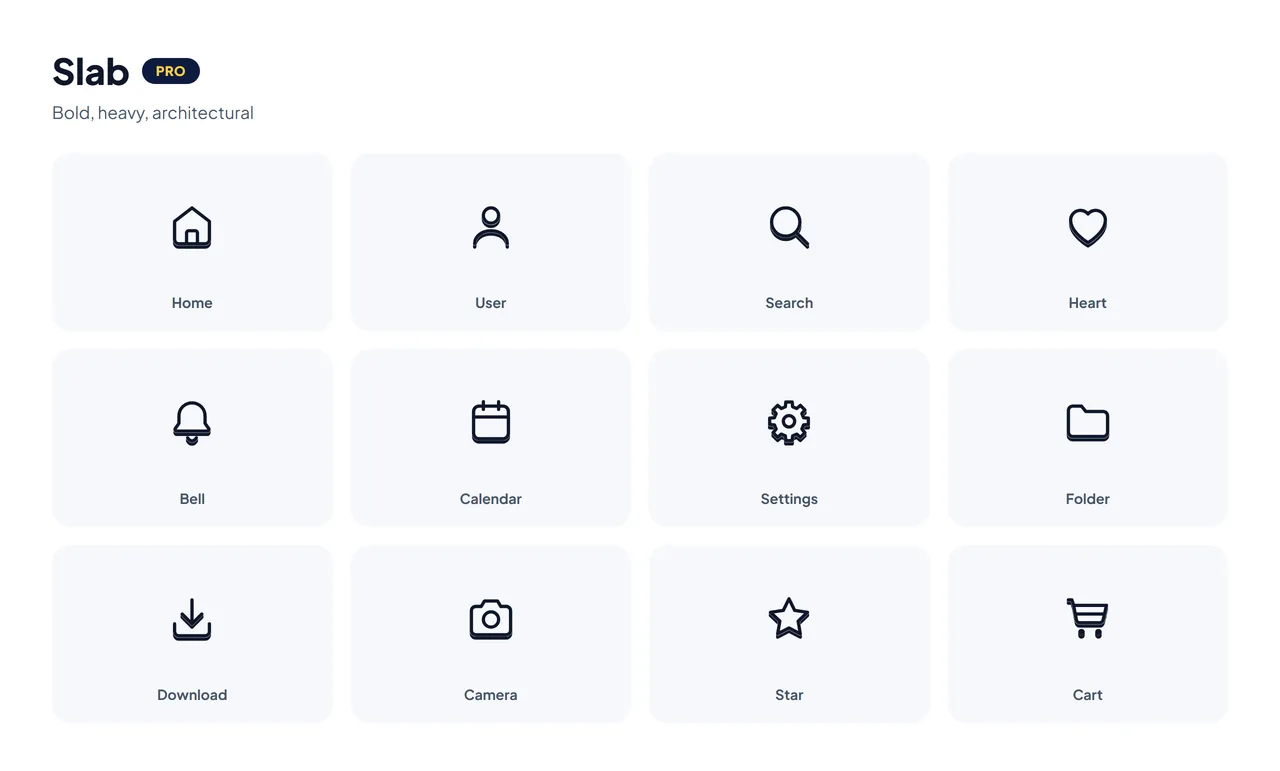
Slab — Pro
Slab is heavier, stronger and more architectural. Its chunky forms hold up where an ordinary thin icon would disappear — bold SaaS websites, posters, large feature sections, creative dashboards, marketing graphics and strong call-to-action sections.
Best for: interfaces that need real visual weight.
Mellow — Pro
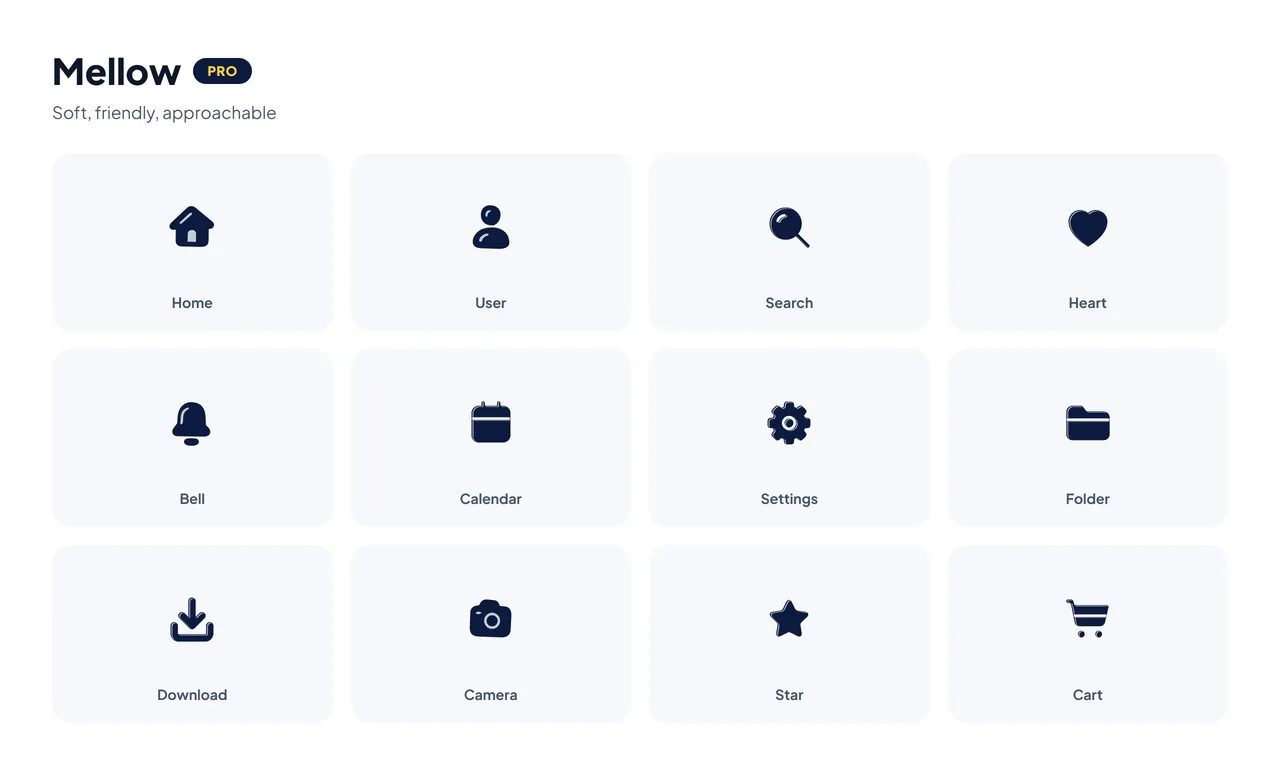
Mellow takes the library in a softer direction. The shapes feel friendlier and less mechanical, which suits lifestyle products, education, productivity apps, social products, friendly SaaS brands and consumer applications.
Best for: soft, approachable product design.
Jass — Pro
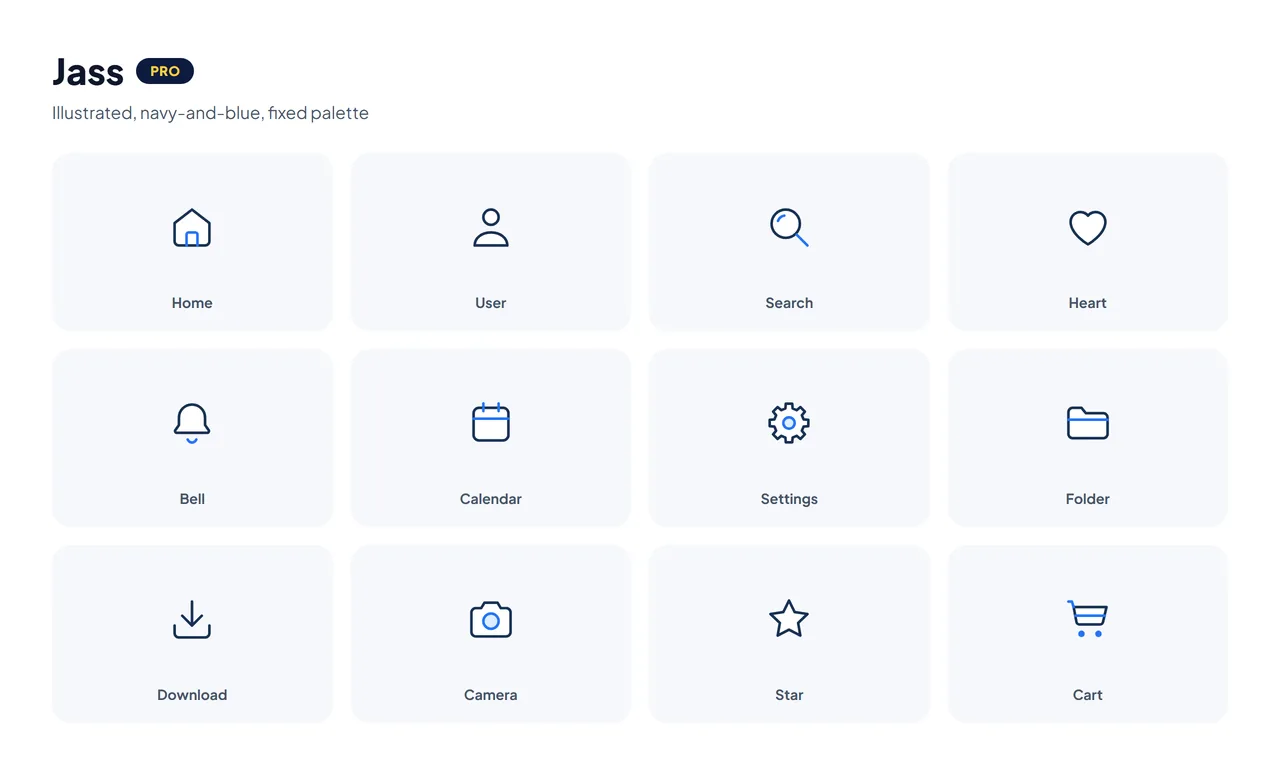
Jass works differently from the four above: instead of recolouring one shape with your brand colour, every icon is a small hand-illustrated drawing in a fixed navy-and-blue palette — a white-filled frame, a pale-blue accent and solid blue detail marks, the same look as HubToolify's own tool icons. It suits places that want a distinctive, branded illustration rather than a recolourable icon: empty states, onboarding, feature tours and marketing sections already built around navy and blue.
Best for: illustrated, brand-consistent moments where one fixed palette is a feature, not a limitation.
3D — Pro
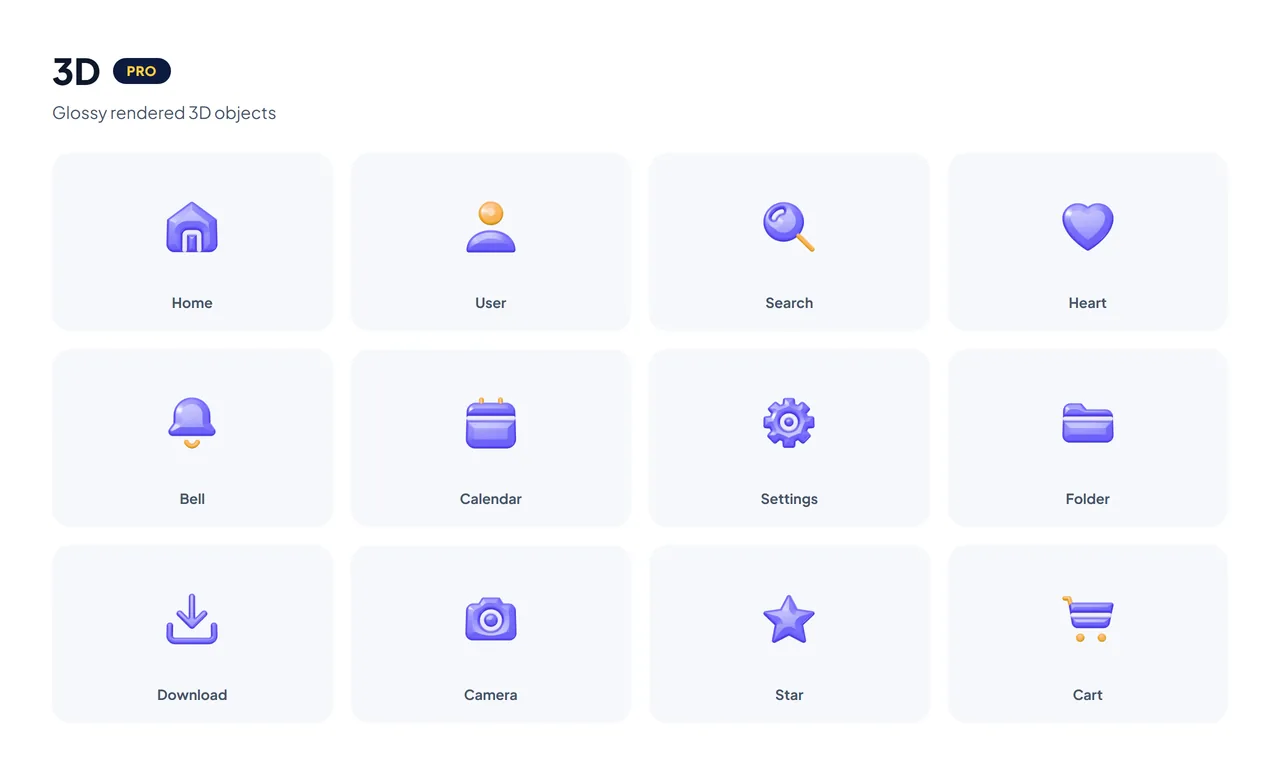
3D turns each icon into a small, glossy object, rendered in real 3D: upright and facing you, with rounded edges, soft studio light and a clear-coat shine, and its details inlaid in a lighter colour. An Italic angle tilts the same object into a three-quarter view. It keeps its own palette, violet with orange and pink accents, which the colour control shifts as a whole, so it reads as a little illustration rather than an interface glyph. It comes as transparent PNG images up to 512 px, not as vectors or a CSS class. Give it room: landing-page feature blocks, onboarding screens, pricing cards, empty states and social graphics.
Best for: playful, tactile highlights where an icon is the centre of attention.
Draw — Pro
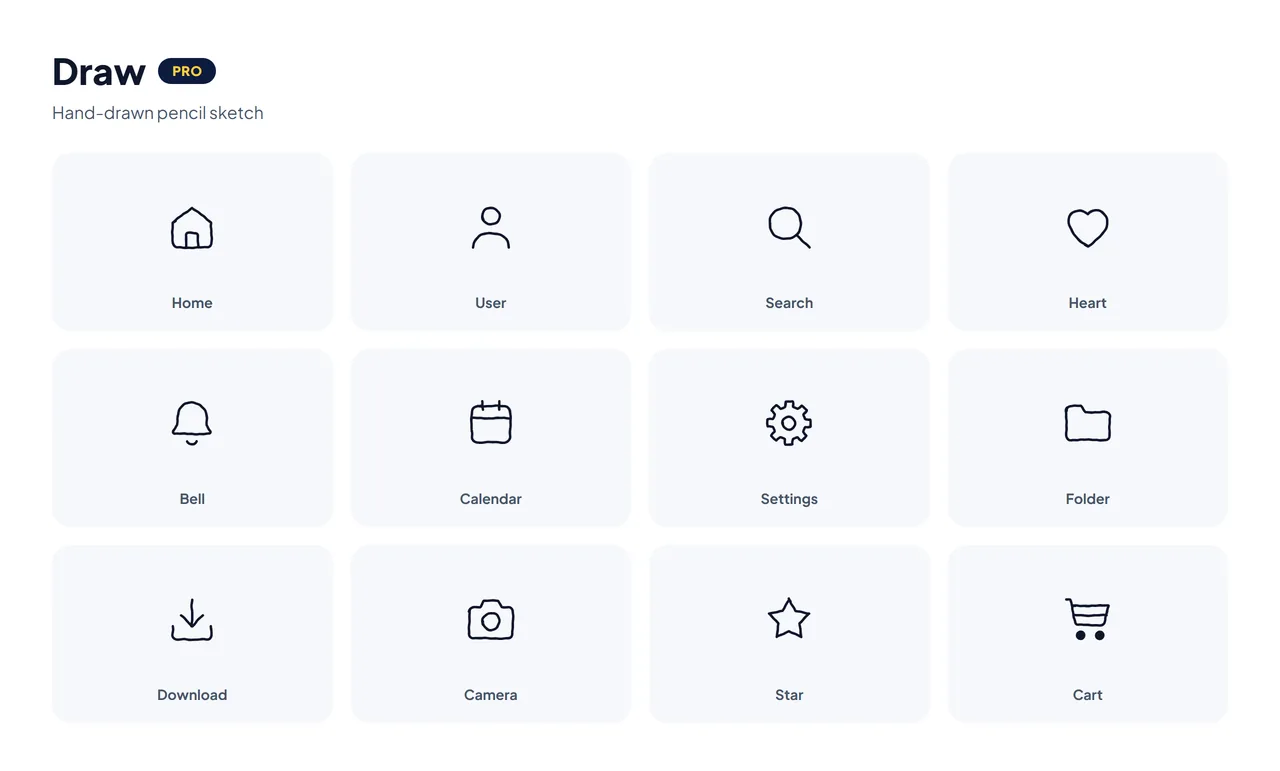
Draw looks sketched by hand with a pencil: slightly uneven, overlapping strokes instead of one perfect outline. It is single-colour and takes your brand colour the same way Line does, so it drops into notebooks, education and kids' products, handmade shops, personal blogs and anywhere a polished UI icon would feel too corporate.
Best for: handmade, personal and education brands.
Lineal — Pro
Lineal keeps every line of the Line drawing, in a deep plum outline, and fills the shapes underneath with soft colour — each with a darker band along one side, a small white highlight and a few sparkles where the icon leaves room. It is the Special Lineal Color look of the icon sets, now on all 2,908 icons. Like Jass and 3D it keeps its own palette, and it comes as SVG and PNG files rather than a CSS class.
Best for: colourful feature lists, onboarding, landing pages and social graphics where plain line icons feel too quiet.
Free vs Pro: side by side
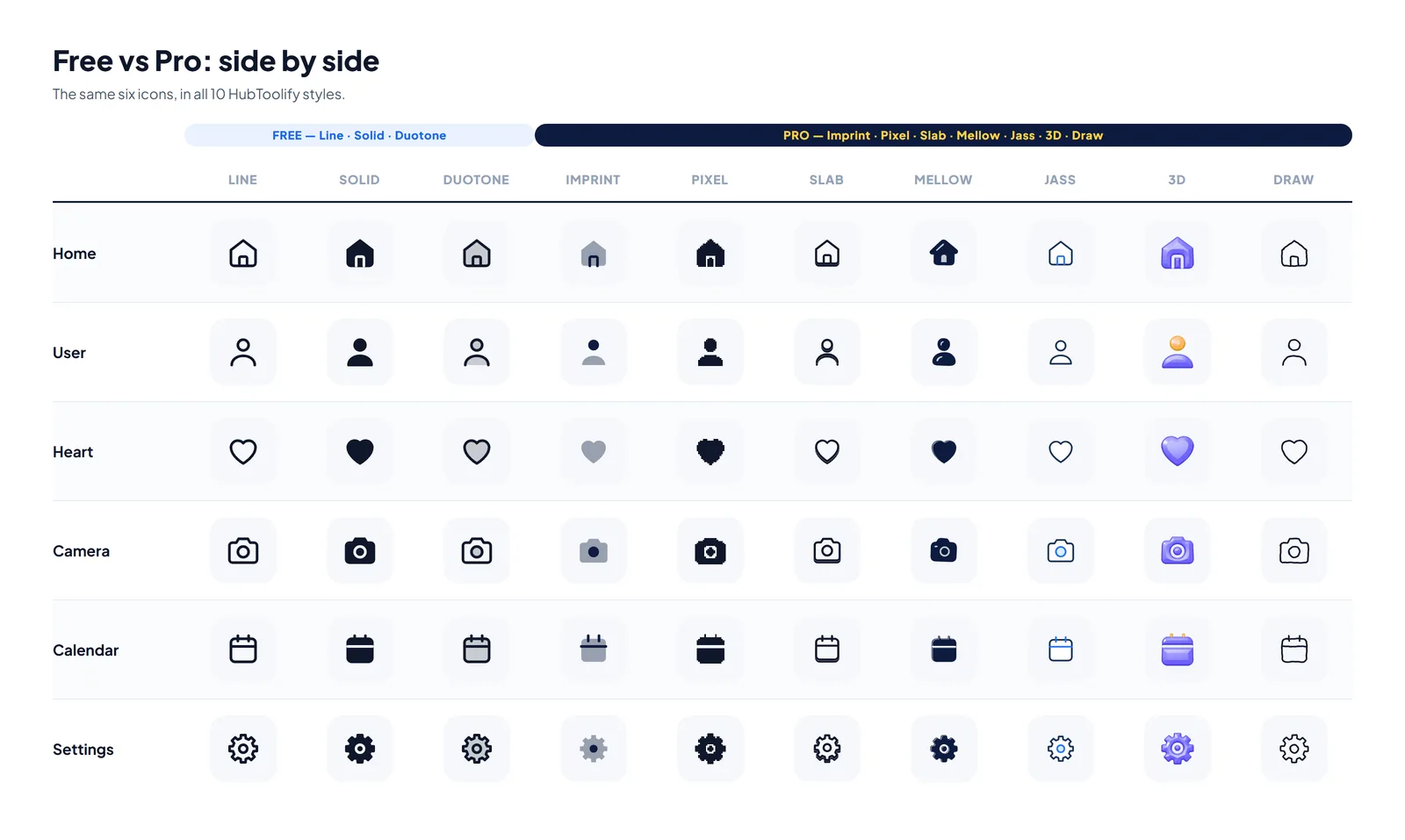
| Feature | Free icons | Pro icons |
|---|---|---|
| Icon library | 2,908 icons | 2,908 icons |
| Line | ✓ | ✓ |
| Solid | ✓ | ✓ |
| Duotone | ✓ | ✓ |
| Imprint | — | ✓ |
| Pixel | — | ✓ |
| Slab | — | ✓ |
| Mellow | — | ✓ |
| Jass | — | ✓ |
| 3D | — | ✓ |
| Draw | — | ✓ |
| Lineal | — | ✓ |
| Best for | Everyday UI | Distinctive visual identity |
The important difference isn't "more icons" — the count is identical either way. It's more ways to express the same icon system.
Which style should you choose?
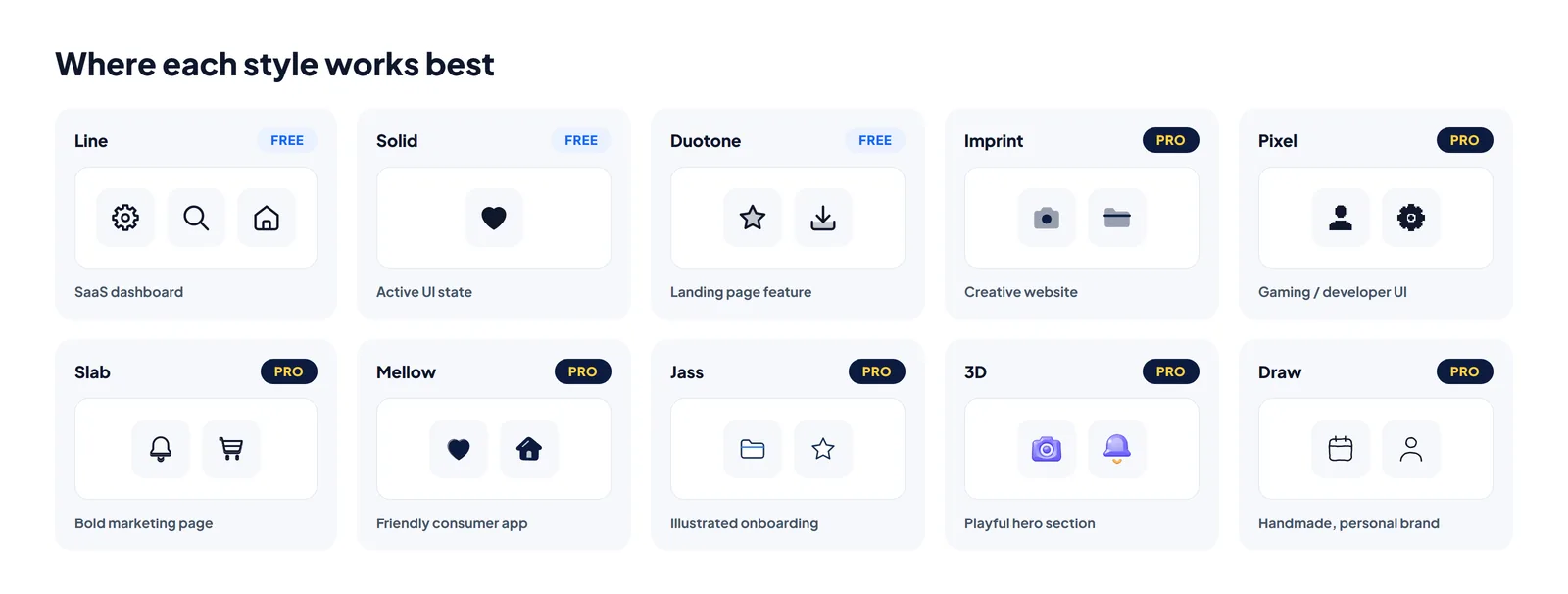
Building a dashboard? Start with Line. Need selected states and stronger buttons? Add Solid. Creating feature cards or onboarding screens? Try Duotone. Want something more distinctive? That's where the Pro styles earn their place: Imprint for a crafted look, Pixel for retro digital personality, Slab when you want something bold, Mellow when the interface should feel softer and friendlier, Jass when a hand-illustrated, fixed-palette look fits the brand, 3D when an icon should feel like something you could pick up, Draw when a sketched, handmade feel suits the product better than a perfect line, and Lineal when you want colourful, illustration-style icons that still match the line set.
You don't have to redesign a whole project to try one. Search for an icon once in the library, or open the Icon Studio and compose a few icons together to see how a style actually reads at the sizes your project uses, before you commit to it anywhere.
Once you have picked one, Pro's Icon Pack Builder gathers the icons a project needs into one pack, in one style and one colour, and downloads them as SVGs, PNGs, an SVG sprite and React components. Missing an icon? Request it and vote for the ones other people have asked for.
See the difference yourself
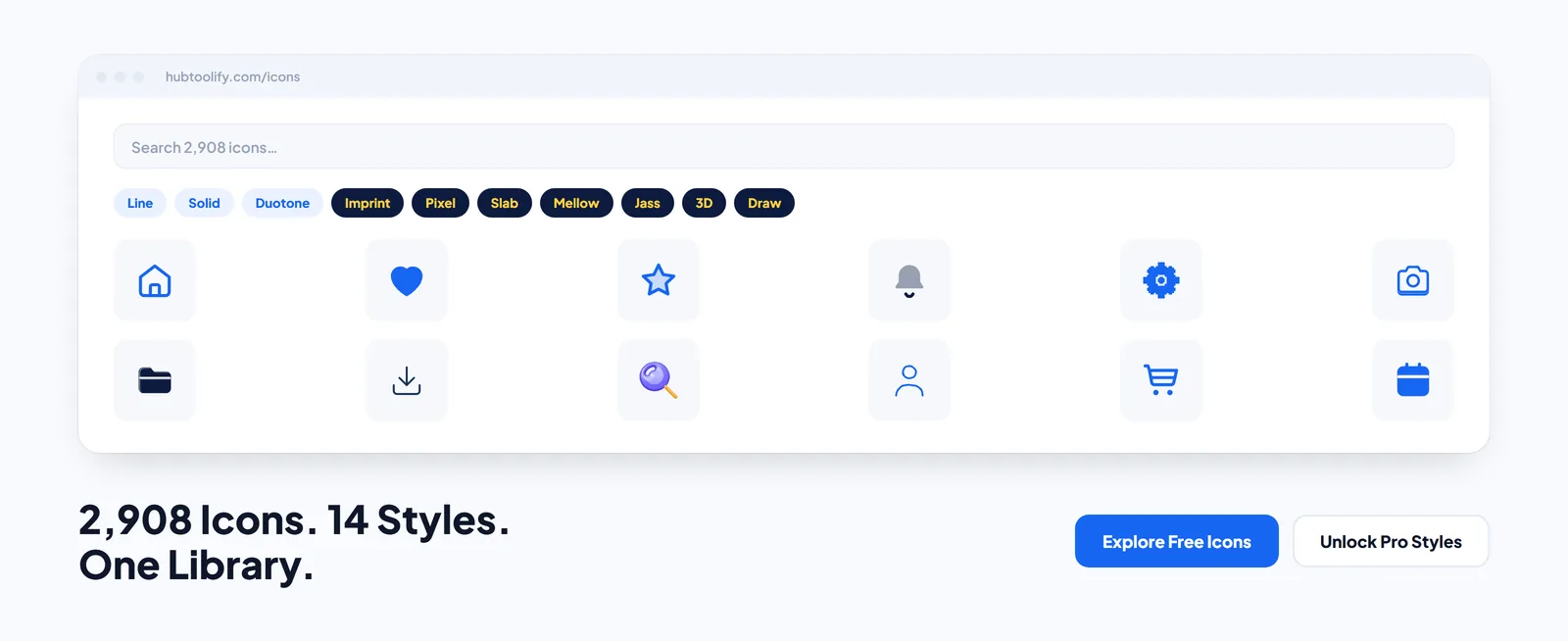
With 2,908 original icons, the icon library gives you enough coverage for navigation, e-commerce, business, communication, files, media, development and dozens of other common interface needs. Start with the three free styles — Line, Solid and Duotone — and when a project needs a more distinctive visual identity, explore Imprint, Pixel, Slab, Mellow, Jass, 3D, Draw and Lineal with HubToolify Pro.
2,908 icons. 11 styles. One library. Explore HubToolify Icons →


0 comments
No comments yet. Be the first to say something.